
Crosslate
Compare translation engines side by side. Your own keys, and no middleman in between.
Download on the App StoreOne sentence, many takes
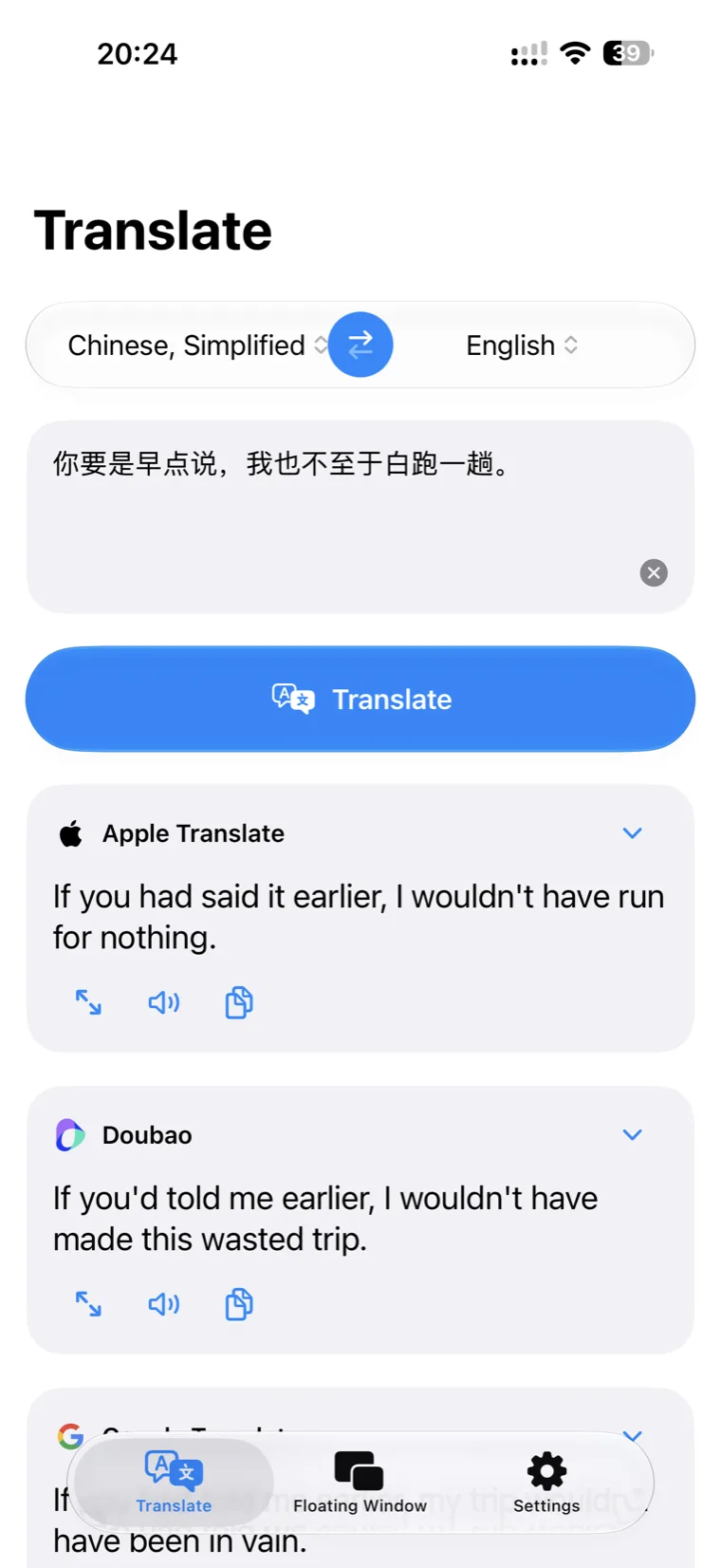
Run several engines at once. Their translations arrive side by side, streaming in as they are written — pick the one that fits.
Never leave the page
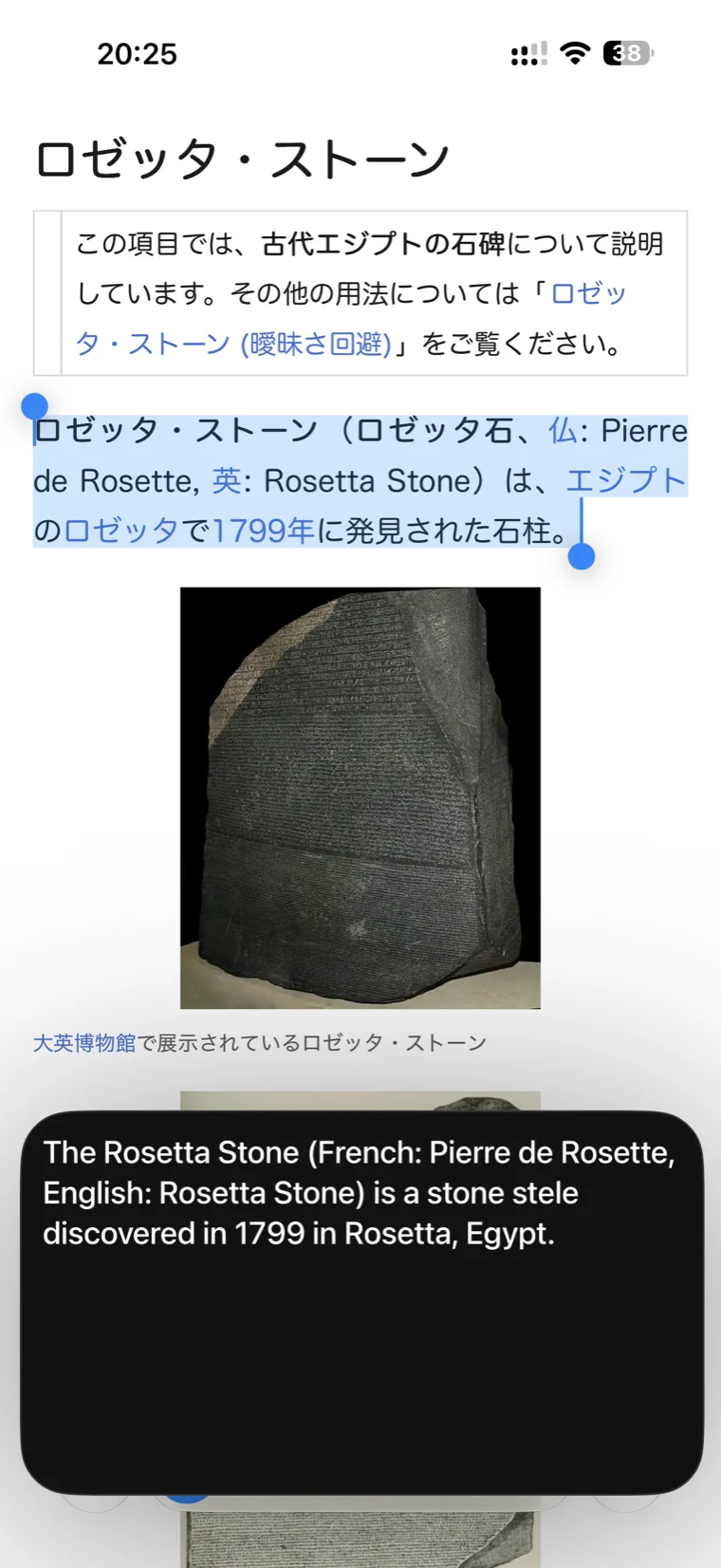
The floating window sits above any other app. Copy some text and the translation appears as it arrives, scrolling up on its own when it runs long.
Your new default translator
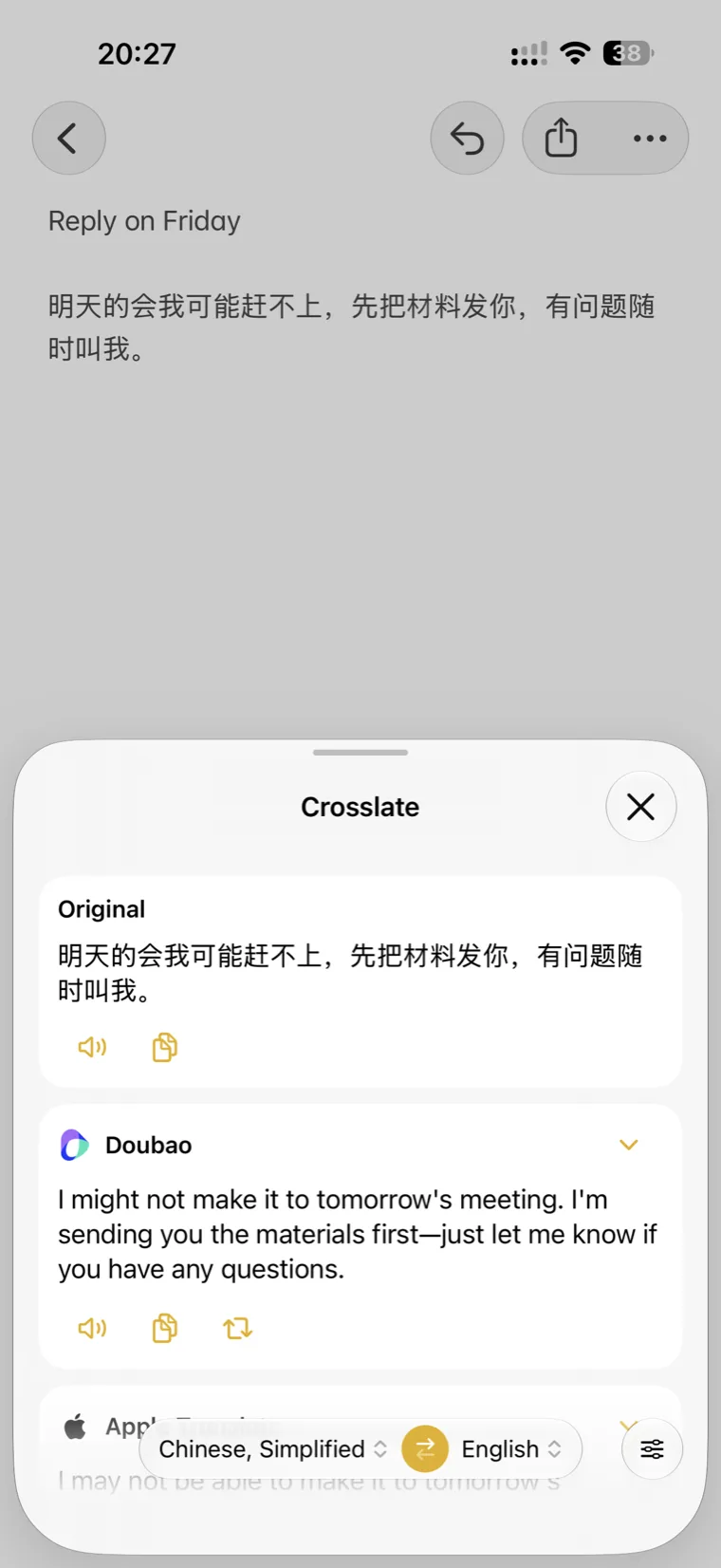
Set Crosslate as the default translation app, then select text anywhere on iPhone and choose Translate from the system menu.
You decide how it reads
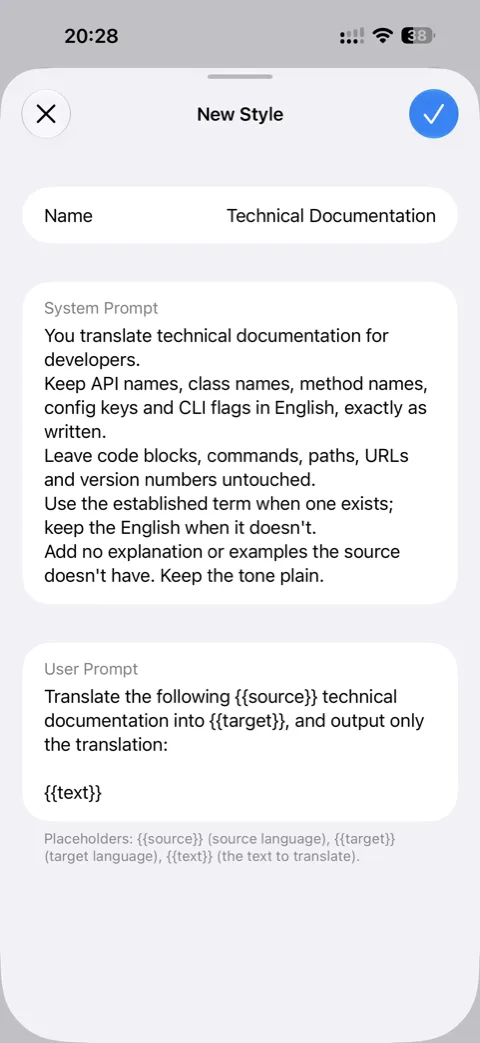
Write your own system and user prompts for any language model. Terminology, tone and format are yours to set.
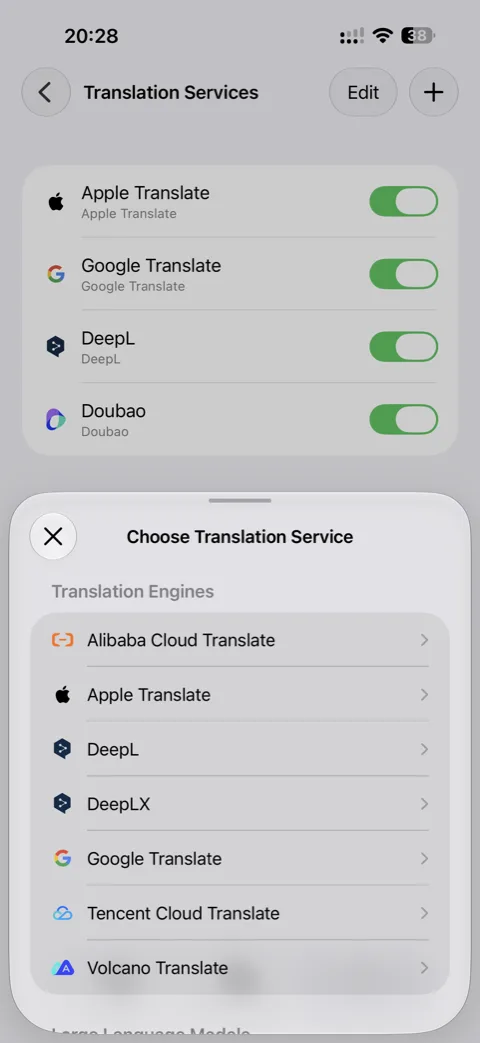
Bring your own service
Dedicated engines and major language models alike, all running on your own account and quota.
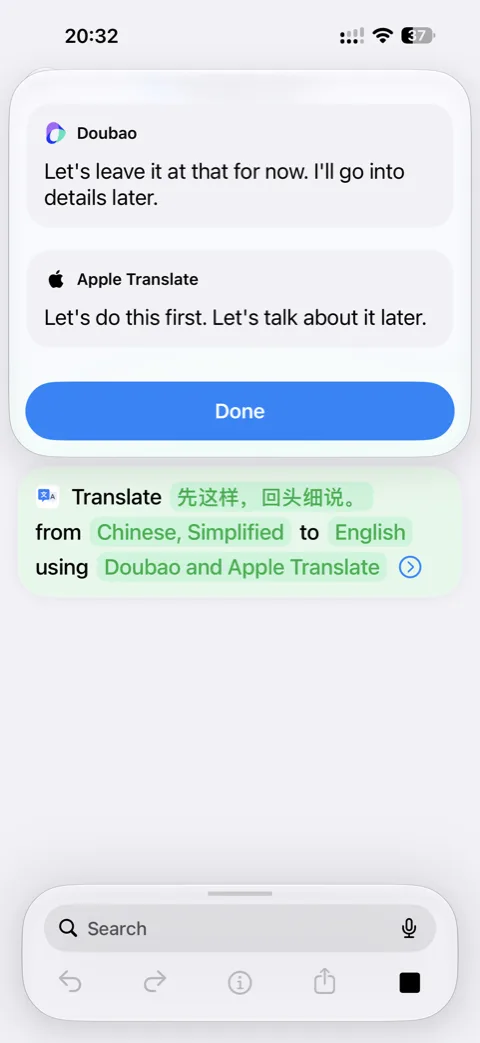
Drop it into a shortcut
Pick the languages and services; every result comes back at once, ready for the steps that follow.
Nothing is collected
No server, no account, no analytics. Your text goes only to the services you chose yourself.